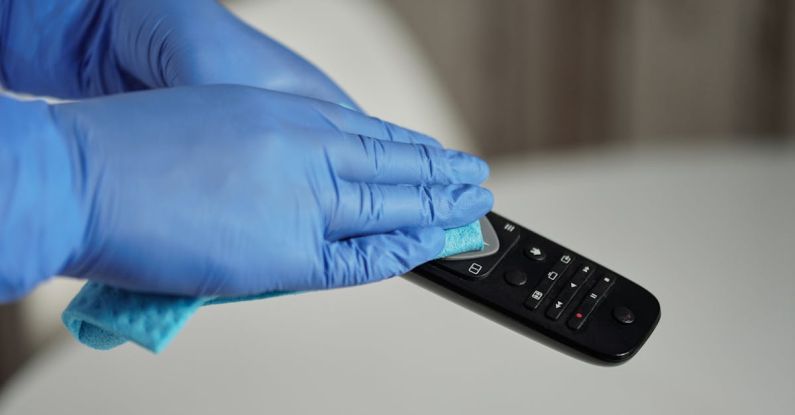
How Do I Clean My Electronic Devices?
When it comes to our electronic devices, keeping them clean is crucial for their performance and longevity. From smartphones and laptops to tablets and headphones, these gadgets accumulate dirt, dust, and germs that can affect their functionality over time. Fortunately, with a few simple tips and tricks, you can effectively clean your electronic devices and keep them in top condition.
Understanding the Importance of Cleaning Electronic Devices
Electronic devices have become an integral part of our daily lives, serving as our communication tools, entertainment sources, and productivity aids. With regular use, these devices come into contact with our hands, faces, and various surfaces, making them a breeding ground for bacteria and germs. Furthermore, dust and debris can accumulate in the crevices and ports of our devices, potentially causing overheating or performance issues.
Proper cleaning not only helps to maintain the appearance of your devices but also ensures that they function optimally. By incorporating a regular cleaning routine into your device maintenance, you can extend their lifespan and enjoy a better user experience.
Cleaning Supplies You Will Need
Before you begin cleaning your electronic devices, gather the necessary supplies to ensure a thorough and effective cleaning process. Here are some essential items you will need:
– Microfiber cloths: These soft and non-abrasive cloths are ideal for wiping down screens and surfaces without scratching or damaging them.
– Isopropyl alcohol: A solution of isopropyl alcohol and water (50:50 ratio) is effective in disinfecting and removing grease and grime from devices.
– Compressed air: Use compressed air in a can to blow out dust and debris from hard-to-reach areas such as keyboard keys and ports.
– Cotton swabs: Dip a cotton swab in isopropyl alcohol to clean small crevices and ports.
– Screen cleaning solution: For devices with screens, use a specialized screen cleaning solution to remove fingerprints and smudges.
Cleaning Your Electronic Devices
1. Smartphones and Tablets
Start by powering off your device and unplugging any accessories. Use a microfiber cloth lightly dampened with the isopropyl alcohol solution to wipe down the screen and body of the device. Pay close attention to the edges and corners where dirt tends to accumulate. For ports and speakers, use a cotton swab dipped in alcohol to gently clean out any debris. Finish by drying the device with a dry microfiber cloth.
2. Laptops and Keyboards
For laptops, shut down the device and unplug it from the power source. Use compressed air to blow out dust and crumbs from the keyboard and vents. Wipe down the keyboard and trackpad with a microfiber cloth dampened with the alcohol solution. Clean the screen using a screen cleaning solution and a microfiber cloth, making sure to avoid pressing too hard to prevent damage.
3. Headphones and Earbuds
Remove any silicone tips or ear cushions and clean them separately with a damp cloth. Use a cotton swab dipped in alcohol to clean the nooks and crannies of the earbuds. For over-ear headphones, wipe down the headband and ear cups with a damp cloth. Allow the earbuds or headphones to dry completely before using them again.
Maintaining Cleanliness in the Long Run
To prevent a buildup of dirt and grime on your electronic devices, consider the following tips for maintaining cleanliness:
– Avoid eating or drinking near your devices to prevent spills and crumbs from accumulating.
– Wash your hands before using your devices to minimize the transfer of oils and germs.
– Store your devices in a clean and dust-free environment when not in use.
– Regularly clean your devices to prevent dirt and debris from accumulating.
By incorporating these cleaning tips into your device maintenance routine, you can ensure that your electronic gadgets remain in top condition and provide you with reliable performance for years to come.
Keeping Your Electronic Devices Clean and Functional
Taking care of your electronic devices goes beyond just using them—it also involves keeping them clean and well-maintained. By following the tips outlined in this article and establishing a regular cleaning routine, you can ensure that your devices continue to function optimally and stay looking their best. With a little effort and the right cleaning supplies, you can keep your smartphones, laptops, headphones, and other gadgets in top condition for the long haul.


